Posts

Showing posts from May, 2011

Add a virtual tip jar to your blog
Image
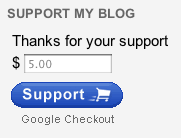
Posted by Peng Ying, Developer Programs Engineer Update 6/10:  We've updated our gadget's Terms of Service and you will need to agree to these new terms before you can add or continue to use the gadget. We know that most of you blog for the sake of sharing your thoughts and opinions, however a little side income is like an unexpected gift. Today we’re releasing a new gadget that allows your readers to directly contribute to your blog. The gadget can be added to any part of your page, but we’ve formatted it to fit best in the sidebar. Setup is only five simple steps and should only take a few minutes of your time; just follow the steps below: Sign up for a Google Checkout Merchant account at checkout.google.com/sell Be sure to enable the HTML API by going to the Settings tab, clicking the integration link and unchecking the “My company will only post digitally signed carts” checkbox. Also, copy the Merchant Id for use in step 5. Back in Blogger, on the Design | Page Elements...

Blogger is back

Update (5/31 7:45PM PST): We've published an incident report on Blogger Status.  Update (5/15 10:55PM PST): Blogger should be back to normal for the vast majority of people affected by this issue -- if posts are still missing, please check your drafts (you may need to republish). We are in the process of restoring comments made during the affected period from 7:37am PDT on 5/11 to 1:30pm PDT on 5/12. If you still have other issues, please contact us via the temporary form we’ve set up for this particular issue. Thanks again for bearing with us, we’re deeply sorry for the inconvenience we caused. We’ll share an incident report later this week. Update (5/14 5:37 PM PST): We're making progress restoring comments, some blogs with a lot of content are taking a little more time. Thanks for bearing with us. Update (5/13 7:46PM PST):  Nearly all posts since Wednesday are restored, now bringing back comments from last couple days. We expect the comments to be back this weekend or so...

Updates and Fixes, May 5th

Image
Posted by Brett Wiltshire, Product Operations April showers bring May flowers, and updates to Blogger! Here's the run down of the latest changes available to everyone right now: Add location info to your posts with geotagging Geotagging has been available for a while on Blogger in Draft, but is now available to all users with today’s release. To add location information to your blog posts, simply click the Add Location button in the bottom right of the new post editor. This will bring up a new window that displays the familiar Google Maps interface and you can search, drag, zoom, and drop markers for the location of your choice. Once you’ve settled on the location you want to add to the blog post, just click Save and the information will automatically be added to the footer section of your published post (if you don't see it, you'll probably have to enable the Location  option in the Blog Post widget which is normally defaulted to 'on'.) We’ve made a few small upd...